
Checkout-Optimierung: Warum weniger Felder mehr Verkäufe bedeuten
Sieben von zehn Kunden, die einen Artikel in den Warenkorb legen, verlassen den Shop ohne Kauf. Das ist die Realität, mit der wir täglich konfrontiert werden. Die durchschnittliche Warenkorbabbruchrate liegt bei beachtlichen 70,22 %. Einer der Hauptgründe ist, dass Checkout-Prozesse sehr verwirrend sein können. Die gute Nachricht: Den Checkout zu vereinfachen ist einer der schnellsten Wege, den Umsatz zu steigern, ohne Produkte, Preise oder Marketing zu ändern. Wenn Sie in wenigen Wochen echte Verbesserungen der Checkout-Conversion-Rate sehen möchten, können die folgenden Änderungen einen echten Unterschied für Ihr Unternehmen machen.
Die Zahlen, die Sie beunruhigen sollten
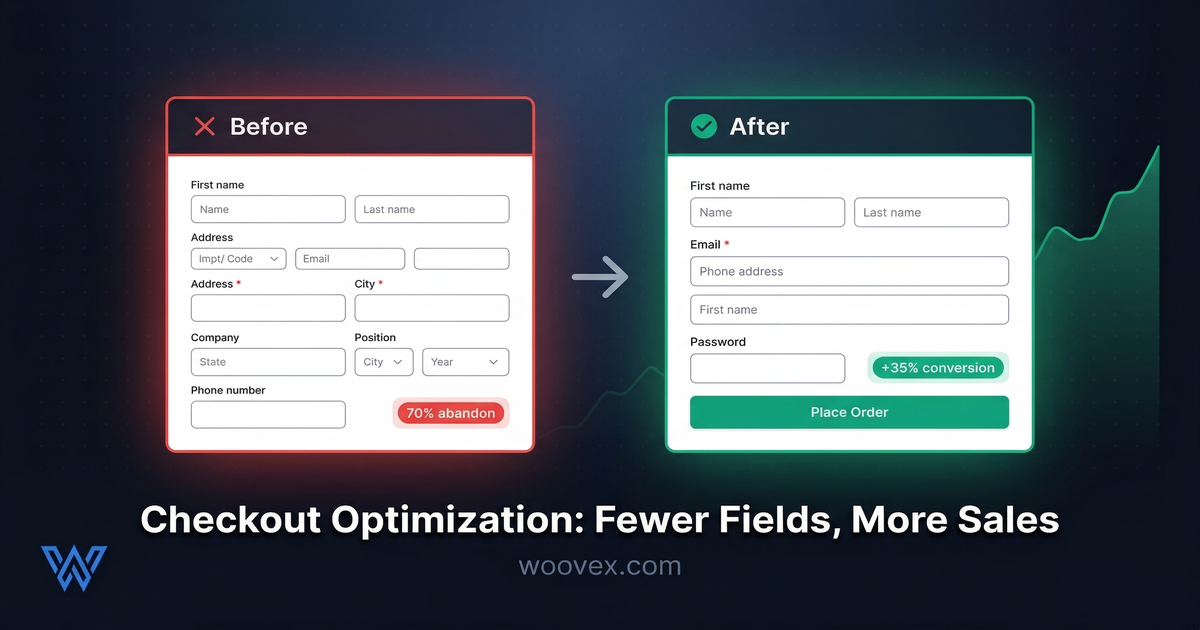
Bei einem durchschnittlichen E-Commerce-Checkout gibt es 14,88 Formularfelder. Die erfolgreichsten Checkouts haben 7 oder weniger. Allein diese Diskrepanz stellt eine enorme Verbesserungsmöglichkeit dar.
E-Commerce-Websites mit hohem Traffic haben durch das Checkout-Design allein eine Steigerung der Conversion-Rate um 35 % verzeichnet. Nicht durch neue Produkte oder höhere Werbeausgaben. Einfach dadurch, dass es für Kunden einfacher gemacht wurde, bei ihnen zu kaufen.
Die häufigsten Gründe für Warenkorbabbrüche:
- Unerwartete Kosten (Versand, Steuern, Gebühren, die erst beim Checkout sichtbar werden) - Transparenz über Ihre Preisstrategie ist entscheidend, um Überraschungen zu vermeiden
- Zwang zur Kontoerstellung (24 % aller Abbrüche)
- Zu viele Schritte oder zu kompliziert.
- Kunden vertrauen der Website nicht mit ihren Daten.
- Seitenladeprobleme - wenn Ihr Checkout länger als 3 Sekunden zum Laden braucht, lesen Sie unseren Leitfaden zur WooCommerce-Geschwindigkeitsoptimierung
Die meisten dieser Probleme lassen sich lösen, ohne Ihren Shop komplett zu überarbeiten. Um Warenkorbabbrüche zu reduzieren, müssen Sie zunächst die Stellen identifizieren, an denen Kunden abspringen.
Das Argument für weniger Felder
Jedes Feld, das Sie dem Checkout-Prozess hinzufügen, ist Reibung. Jede Information, die Sie anfordern, ist eine weitere Gelegenheit für den Kunden, sich zu fragen: "Ist das das wert?" und den Checkout zu verlassen. Gute Nutzererfahrung auf einer E-Commerce-Website bedeutet, jede Barriere zwischen dem Kunden und dem Kauf zu beseitigen.
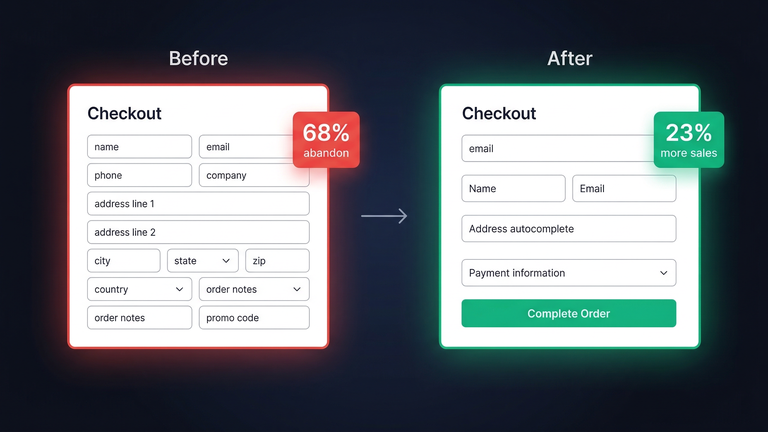
Stellen Sie sich folgende Fragen: Benötigen Sie wirklich ein Feld für den Firmennamen bei einem B2C-Checkout? Müssen Sie wirklich nach Rechnungs- und Lieferadresse fragen? Wird Ihr Telefonnummernfeld genutzt?
Felder, die Sie entfernen oder ausblenden können:
- Firmenname - bei B2C-Websites ausblenden, bei B2B-Websites optional machen
- Zweite Adresszeile - als Umschalter mit dem Text "Apartment oder Etage hinzufügen" gestalten
- Telefonnummer - optional machen
- Bestellnotizen - entfernen oder auf den Bestellbestätigungsbildschirm verschieben
Felder, die Sie automatisch ausfüllen oder vereinfachen können:
- Stadt und Bundesland - automatisch aus Postleitzahl befüllen
- Land - automatisch aus IP-Adresse ermitteln, änderbar lassen
- Versandmethode - beliebteste Methode vorauswählen
Jedes Feld, das Sie entfernen oder automatisch ausfüllen, reduziert den geistigen Aufwand für den Kaufabschluss. Dieser geistige Aufwand ist es, der letztendlich die Conversion tötet. Mit der WooCommerce-Checkout-Anpassung können Sie genau steuern, welche Felder angezeigt werden und welche nicht.
Gast-Checkout ist keine Option mehr
Einer der kostspieligsten Fehler im E-Commerce ist, Kunden zu zwingen, ein Konto zu erstellen, bevor sie kaufen können. Das verursacht 24 % aller Warenkorbabbrüche.
Die Lösung ist einfach: Bieten Sie den Gast-Checkout als Standardoption an. Bitten Sie Kunden erst nach der Zahlung um eine Kontoerstellung, wenn sie bereits in den Prozess investiert sind. "Möchten Sie Ihre Bestellhistorie speichern? Erstellen Sie ein Passwort." Natürlich werden sie ja sagen. Aber der Kauf ist bereits abgeschlossen.
In WooCommerce können Sie den Gast-Checkout mit einem einzigen Kontrollkästchen aktivieren. Wenn Sie das noch nicht getan haben, tun Sie es jetzt sofort. Das ist wahrscheinlich der beste ROI, den Sie heute erzielen können.
Einseitiger vs. mehrstufiger Checkout
Beide Optionen haben ihre Berechtigung. Die Ausführung ist entscheidend, nicht das Layout.
Einseitiger Checkout ist ideal, wenn Sie wenige Felder haben. Sie haben einfache Produkte. Alles liegt auf einen Blick vor dem Kunden. Kein Durchklicken durch mehrere Seiten nötig. Der Kunde sieht genau, was benötigt wird, und gibt die Informationen ein.
Mehrstufiger Checkout ist besser bei komplexeren Käufen. Sie haben viele Felder. Sie haben B2B-Transaktionen. Sie haben individuelle Produkte. Der Kunde fühlt sich leicht überfordert. Durch die Aufteilung in Schritte fühlt sich der Prozess überschaubarer an.
Wichtiger als die Art des Checkouts:
- Fortschrittsanzeigen: Zeigen Sie dem Kunden, wo er sich im Prozess befindet und wie viele Schritte noch folgen.
- Dauerhafter Warenkorb-Überblick: Zeigen Sie den Warenkorbinhalt jederzeit an.
- Fortschritt speichern: Verlieren Sie die Kundendaten nicht beim Neuladen der Seite.
- Mobile Optimierung: Mehr als 60 % Ihres Traffics kommt von Mobilgeräten. Testen Sie Ihren Checkout auf dem Smartphone.
Vertrauenssignale beim Checkout
Der Kunde ist dabei, Ihnen seine Kreditkartendaten zu geben. Er muss sich sicher fühlen.
Was beim Checkout Vertrauen aufbaut:
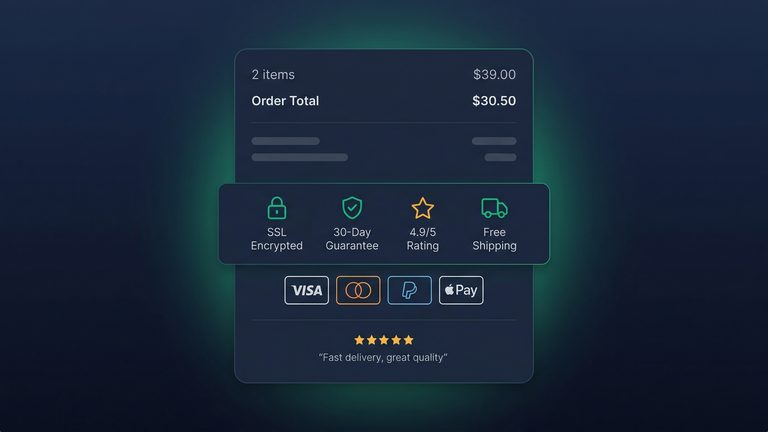
- Sicherheits-Badges (SSL-Schloss, Logos der Zahlungsanbieter)
- Link zur Rückgaberichtlinie direkt vor der Schaltfläche "Bestellung aufgeben"
- Kundenbewertungen oder Trust-Score sichtbar ("4,9/5 aus 500+ Bestellungen")
- Mehrere Zahlungsoptionen (PayPal hat eine beachtliche Checkout-Conversion-Rate von 88,7 %, weil die Leute ihm vertrauen)
- Keine Überraschungen: Zeigen Sie den Gesamtbetrag inklusive Steuern und Versand an, bevor der Kunde zum letzten Schritt gelangt
Was das Vertrauen beim Checkout zerstört: Unerwartete Gebühren im letzten Schritt, fehlende Sicherheits-Badges, ein abweichendes Design der Checkout-Seite. Transparente Versandlösungen mit Echtzeit-Preisen können erheblich dazu beitragen, Preisschocks und Warenkorbabbrüche zu verhindern.
Schnelle Erfolge für den WooCommerce-Checkout
Das sind die Maßnahmen mit geringstem Aufwand und größtem Einfluss auf Ihre WooCommerce-Checkout-Conversion-Rate:
- Gast-Checkout aktivieren in den WooCommerce-Einstellungen
- Unnötige Felder entfernen (Firmenname, Bestellnotizen für B2C-Shops)
- Land automatisch erkennen aus Browser oder IP
- Stadt und Bundesland automatisch ausfüllen aus der Postleitzahl
- PayPal und Apple Pay hinzufügen als Express-Optionen oberhalb des Formulars
- Versandkosten auf der Warenkorbseite anzeigen, nicht beim Checkout (keine Überraschungen)
- Auf einspaltiges Layout reduzieren auf Mobilgeräten
- Fortschrittsbalken hinzufügen bei mehrstufigem Checkout
- Checkout monatlich testen, indem Sie tatsächlich eine Testbestellung aufgeben
Die meisten Shops können diese Verbesserungen innerhalb eines Tages umsetzen. Die Auswirkungen zeigen sich im Umsatz des Folgemonats. Wenn Sie tiefer in die WooCommerce-Checkout-Anpassung einsteigen möchten, umfasst unser Checkout-Anpassungsservice all das und mehr.
Die Wirkung messen
Bevor Sie Änderungen vornehmen, sollten Sie zunächst Ihre aktuelle Leistung messen:
- Warenkorb-zu-Checkout-Rate: Wie viel Prozent der Personen, die Artikel in den Warenkorb legen, starten den Checkout-Prozess?
- Checkout-Abschlussrate: Wie viel Prozent der Personen, die den Checkout starten, schließen ihn auch ab?
- Durchschnittliche Zeit bis zum Checkout-Abschluss: Grundsätzlich gilt: je kürzer, desto besser.
- Fehlerrate: Wie oft treten Formularvalidierungsfehler auf?
Nehmen Sie jeweils nur eine Änderung vor und messen Sie die Auswirkungen über zwei Wochen. Kleine Verbesserungen summieren sich. Es mag nicht nach viel klingen, die Checkout-Abschlussrate von 30 % auf 35 % zu verbessern, aber bei $100.000 Jahresumsatz mit dem vorhandenen Traffic sind das über $16.000 zusätzliche Einnahmen pro Jahr aus demselben Traffic.
Das Beste daran: Checkout-Optimierung verbessert jedes Unternehmen, unabhängig von Branche, Produkten oder Traffic. Mehr Menschen, die den Checkout abschließen, bedeuten mehr Käufer. So einfach ist das. Wenn Sie gute Nutzererfahrung mit datengetriebenem Testen kombinieren, können Sie einen Checkout-Prozess schaffen, der mit der Zeit immer besser wird.
Möchten Sie einen Checkout, der wirklich konvertiert?
Wir verbessern WooCommerce-Checkouts, bei denen eine Steigerung der Conversions um 15-30 % normal ist. Personalisierte Flows, Express-Checkout und Wiederherstellung abgebrochener Warenkörbe.